
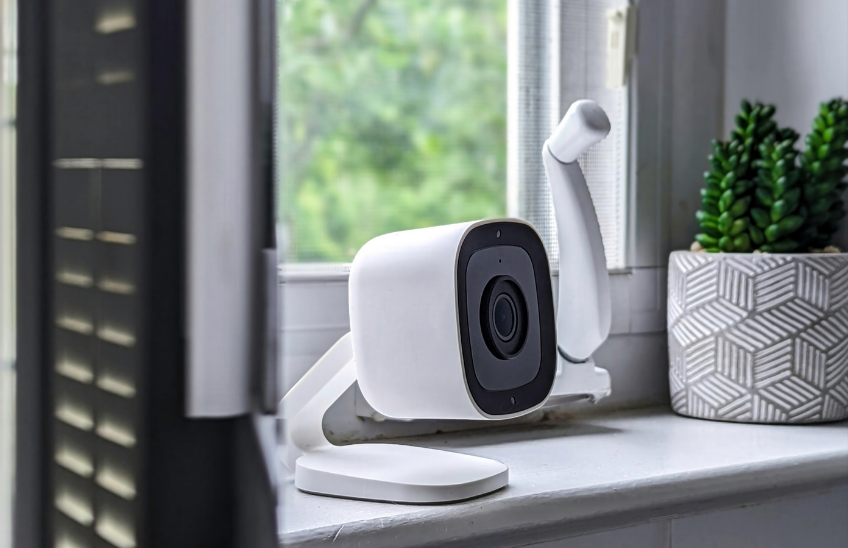
Outdoor Security Camera Maintenance: Home Security System Checks for Better Protection
Your home security system works around the clock to protect your property. But outdoor cameras, motion sensors, and security lighting are constantly exposed to weather, temperature changes, and debris. Over time, these conditions can affect performance.
Regular outdoor security camera maintenance and routine home security system checks help ensure your system is functioning properly when you need it most. Taking time to inspect and test your security system helps prevent blind spots, failed alerts, and poor video quality.
What Is Outdoor Security Camera Maintenance?
Outdoor security camera maintenance involves inspecting cameras, cleaning lenses, testing motion sensors, updating system software, and confirming that all security devices are functioning correctly. Performing routine home security system checks helps maintain clear video footage, reliable alerts, and strong protection for your home.
Why Regular Home Security System Checks Matter
Outdoor security systems are exposed to wind, rain, dust, and temperature changes. Over time, these conditions can affect equipment performance.
Routine maintenance helps prevent issues such as:
- Dirty or obstructed camera lenses
- Misaligned cameras
- Weak wireless signals
- Outdated system software
- Malfunctioning motion sensors
A well-maintained security system provides better protection and reduces the risk of security blind spots.
Step 1: Inspect All Outdoor Security Cameras
Start by walking around your home and examining each security camera.
Check Camera Condition
- Look for cracks, loose mounts, or physical damage
- Confirm cameras are securely attached and positioned correctly
- Check weatherproof seals around mounting points
Look for signs of corrosion or water intrusion
Clean Camera Lenses
Outdoor lenses collect dust, pollen, and debris, which can reduce video quality.
- Clean lenses with a soft microfiber cloth
- Use lens cleaner if needed
- Avoid harsh chemicals that may damage the lens
Clear lenses improve image quality and help your cameras capture important details.
Test Camera Video Feed
Log in to your security system app or monitoring portal.
- Verify that each camera is transmitting video clearly
- Check night vision functionality
- Test pan-tilt-zoom features if available
- Confirm there are no blind spots in coverage areas
Step 2: Update Security System Software
Keeping your security system updated is an important part of home security system checks.
Check for Firmware Updates
- Log into your security system account
- Check for software updates or firmware patches
- Visit the manufacturer’s website for new updates
Install System Updates
- Back up important recordings if necessary
- Install updates according to manufacturer’s instructions
- Test the system afterward to ensure everything works properly
Updated software improves performance and helps protect against security vulnerabilities.
Step 3: Test Motion Sensors
Motion sensors are essential for detecting activity around your property.
Walk-Through Sensor Testing
- Move within each sensor’s detection range
- Confirm alerts are triggered when motion is detected
- Adjust sensitivity settings if necessary
Check Sensor Coverage
- Identify any blind spots
- Confirm sensors cover key entry points
- Adjust placement if vegetation or structures block coverage
Proper sensor positioning improves detection accuracy.
Step 4: Inspect Outdoor Lighting
Outdoor lighting is one of the most effective security deterrents.
Check All Exterior Lights
- Test entry lights and pathway lights
- Replace burned-out bulbs
Inspect fixtures for damage
Evaluate Lighting Coverage
- Ensure entrances are well-lit
- Add lighting to dark areas or corners
- Confirm motion-activated lights trigger properly
Well-lit properties are less attractive targets for intruders.
Step 5: Manage Trees and Landscaping Around Cameras
Vegetation can block security camera views and reduce system effectiveness.
- Trim tree branches near cameras
- Cut back shrubs near windows and doors
- Maintain clear sightlines for all cameras
Keeping camera views unobstructed helps maximize security coverage.
Step 6: Inspect System Connections and Power Sources
Your security system relies on stable connections and reliable power.
Check Wired Connections
Inspect visible wiring for damage
Confirm cables are secure and weather-protected
Check Wireless Connectivity
- Test Wi-Fi signal strength
- Confirm cameras remain connected to your network
- Install a Wi-Fi extender if signals are weak
Verify Power Supply
- Ensure cameras have consistent power
- Check backup batteries or power systems
- Inspect outlets and surge protection
Reliable connectivity ensures cameras continue recording and sending alerts.
Step 7: Review Security System Settings
System settings play an important role in how effectively your system protects your home.
Alert Settings
- Verify motion alerts are enabled
- Confirm notifications reach your phone or email
- Adjust sensitivity to reduce false alarms
Recording Settings
- Confirm your system records during key hours
- Verify recordings are stored properly
- Test playback access through your app
Access Control
Review who has system access
Update passwords if necessary
Enable two-factor authentication when available
Step 8: Perform a Physical Security Assessment
Security cameras work best when combined with strong physical security measures.
- Check that doors and windows lock properly
Inspect door frames and deadbolts - Confirm window locks function correctly
A strong physical security foundation improves overall protection.
Home Security System Maintenance Checklist
Use this simple checklist to keep your security system working properly.
- Inspect outdoor security cameras
- Clean camera lenses
- Test motion sensors
- Check exterior lighting
- Trim landscaping blocking cameras
- Update system software
- Verify system connections and power
- Review alerts and recording settings
Routine home security system checks help ensure your system remains reliable.
Why Security System Maintenance Is Important
A visible and properly functioning security system is a proven deterrent. However, systems that have dirty lenses, blocked cameras, or malfunctioning sensors can create a false sense of security.
Regular outdoor security camera maintenance ensures your security system continues protecting your home, property, and family.
Security System Maintenance FAQs
How often should security cameras be cleaned?
Camera lenses should be cleaned at least every few months or more frequently if dust, pollen, or debris accumulates.
Why are my security camera images blurry?
Blurry images are often caused by dirty lenses, water spots, or improper camera focus. Cleaning the lens is usually the first step.
How do I reduce false motion alerts?
Adjust sensor sensitivity and reposition sensors away from tree branches, moving vegetation, or areas with frequent animal activity.
Do security systems need software updates?
Yes. Software updates often fix vulnerabilities, improve performance, and add new features.
Can homeowners perform their own security system checks?
Many maintenance tasks can be done by homeowners, but professional service may be needed for wiring, connectivity issues, or system upgrades.
.
 Previous Post